.png&w=3840&q=75)
Most businesses ignore at least half their Google reviews — and it's quietly costing them customers. Every unanswered review is a missed opportunity: to build trust, show you care, and signal to Google that your business is active and engaged.
The truth is, how you respond to Google reviews matters just as much as the reviews themselves. Future customers read your replies before they ever walk through your door. And from an SEO standpoint, responding to reviews can directly influence your local rankings — Google notices when business owners are engaged.
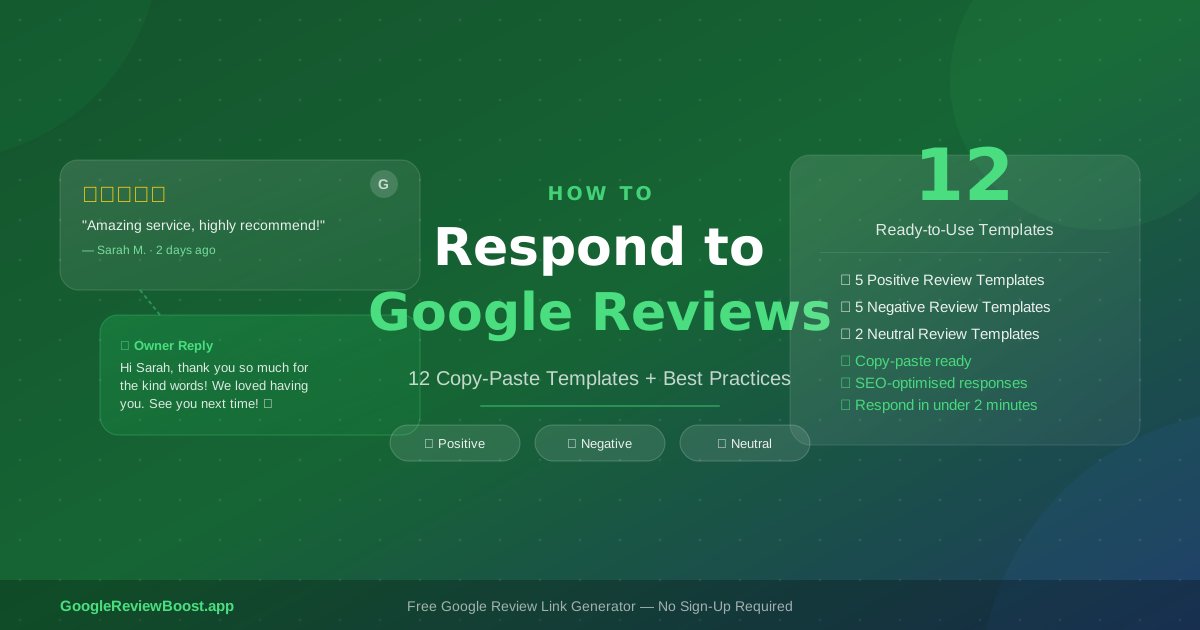
In this post, you'll get a complete guide to responding to every type of Google review, including 12 copy-paste response templates for positive, negative, neutral, and no-text reviews — plus the best practices and mistakes to avoid along the way.
What You'll Learn:
- Why responding to reviews boosts your local SEO
- How to access and reply to reviews step-by-step
- Best practices before you start responding
- 12 copy-paste templates (positive, negative, neutral)
- Common mistakes to avoid
- How to get more reviews to respond to
Why Responding to Google Reviews Matters
Responding to reviews isn't just good manners. It's a concrete business strategy with measurable benefits.
📈 SEO Boost
Google indexes your review responses, which means they contribute to your business's relevance for local search terms. Google reviews have a documented impact on your SEO — and your replies are part of that equation.
🤝 Trust Signals
When someone researches your business and sees that you reply thoughtfully to both praise and complaints, it tells them you're accountable. That's a powerful conversion signal.
🔁 Customer Retention
Acknowledging a reviewer — especially one who had a mixed experience — increases the chance they come back. People want to feel heard.
🏆 Competitive Edge
Most of your competitors aren't responding consistently. Showing up in every reply thread is a simple way to stand out in your local market.
Google also looks at response rate and recency as part of its local ranking signals, so staying on top of your replies isn't optional if you want to compete.
How to Access and Reply to Google Reviews (Step-by-Step)
Getting started is straightforward:
- 1 Sign in to Google Business Profile at business.google.com
- 2 Click "Reviews" in the left-hand navigation menu
- 3 Find the review you want to respond to and click "Reply"
- 4 Write your response and click "Post reply" — it goes live immediately and is visible to anyone who views your listing
That's it. Your reply appears publicly beneath the original review.
Best Practices Before You Start Responding
Before you dive into the templates, keep these ground rules in mind. They're the difference between responses that build trust and ones that fall flat.
- ✓ Respond within 24–48 hours. Speed shows you're attentive. Waiting weeks sends the opposite message.
- ✓ Use the reviewer's first name when it's visible. It makes the response feel personal, not templated.
- ✓ Keep it under 150 words. Reviewers and future readers don't want to read essays. Get in, be genuine, get out.
- ✓ Never copy-paste the same reply to every review. Google can detect patterns, and so can your customers — it looks lazy and automated.
- ✓ Avoid keyword stuffing. One natural mention of your business name or service is fine. Repeating "best plumber in Chicago" three times looks spammy.
- ✓ Take disputes offline. If a review contains a genuine complaint, invite the customer to contact you directly rather than hashing it out publicly.
- ✓ Respond to ALL reviews — not just the negative ones. Ignoring your 5-star reviews is a missed thank-you and a missed impression on future customers.
How to Respond to Positive Google Reviews (5 Templates)
Replying to positive reviews might feel unnecessary — they're already good, right? But a warm, genuine response to a happy customer reinforces their loyalty, encourages them to return, and shows prospective customers that you value your community.
Template 1 — General 5-Star Review
Hi [Name], thank you so much for the kind words! We're thrilled you had a great experience with us — it means a lot to our whole team. We look forward to seeing you again soon!
— [Your Name], [Business Name]
Template 2 — Reviewer Mentioned a Specific Service
Hi [Name], what a wonderful review — thank you! We're so glad [specific service] exceeded your expectations. That's exactly the experience we aim to deliver every time. Hope to see you again!
— The Team at [Business Name]
Template 3 — Long Detailed Positive Review
Hi [Name], wow — thank you for taking the time to write such a detailed review. We're genuinely touched by your kind words. Feedback like this keeps our team motivated every day. See you next time!
— [Your Name] at [Business Name]
Template 4 — Repeat Customer
[Name], thank you so much! It's always a pleasure having you back — loyal customers like you are the reason we love what we do. We look forward to your next visit!
— [Business Name] Team
Template 5 — 5-Star Review with No Text (Stars Only)
Hi [Name], thank you for the 5 stars! We're glad you had a positive experience and hope to welcome you back again soon.
— [Business Name]
How to Respond to Negative Google Reviews (5 Templates)
Negative reviews aren't the end of the world — in fact, how you respond to them matters far more than the review itself. A calm, professional, empathetic reply to a 1-star review can actually build more trust with prospective customers than a wall of perfect 5-stars. It proves you're a real business that takes accountability seriously.
That said, responding to negative reviews requires a different approach than positive ones. For a deeper dive into dealing with bad reviews — including how to dispute or remove fake ones — read our full guide on bad Google reviews: remove, dispute, and reply the right way.
Template 6 — General Negative Experience
Hi [Name], thank you for taking the time to share your feedback. We're truly sorry your experience didn't meet your expectations — this isn't the standard we hold ourselves to. Please reach out to us directly at [email/phone] so we can make this right.
— [Your Name], [Business Name]
Template 7 — Complaint About a Specific Issue (e.g. wait time, staff)
Hi [Name], we appreciate you letting us know about this. We're sorry about [specific issue] — it's not the experience we want for our customers. We'd love the chance to address this directly. Please contact us at [email/phone].
— The [Business Name] Team
Template 8 — Negative Review with No Detail
Hi [Name], thank you for your feedback, though we're sorry to hear your experience fell short of expectations. We'd love to learn more and make it right. Please reach out to us at [email/phone].
— [Business Name]
Template 9 — Review That Appears to Be a Mistake or Wrong Business
Hi [Name], thank you for leaving a review. However, we don't appear to have a record of your visit — it's possible this review was intended for a different business. Please feel free to contact us directly to clarify!
— [Business Name]
Template 10 — Review After a Resolved Complaint
Hi [Name], thank you for your honest feedback. We're sorry your initial experience was frustrating — we're glad we had the chance to make it right. Your satisfaction matters to us, and we hope to see you again.
— [Your Name], [Business Name]
How to Respond to Neutral (3-Star) Reviews (2 Templates)
Three-star reviews are often overlooked — but they shouldn't be. A customer who gives you three stars is on the fence. They weren't wowed, but they weren't completely let down either. A thoughtful response here can be the nudge that brings them back — and potentially turns a 3-star into a 5-star on their next visit.
Template 11 — Neutral Review
Hi [Name], thank you for sharing your experience. We're glad parts of your visit were enjoyable, and we'd love the chance to earn that extra star next time. If there's anything specific we can improve, please reach out directly.
— [Business Name] Team
Template 12 — Neutral Review with Specific Concern
Hi [Name], thank you for the honest review. We're pleased you enjoyed [positive aspect] and take your feedback about [concern] seriously. We're always working to improve, and your input helps us do that. Hope to see you back soon!
— [Your Name], [Business Name]
Common Mistakes to Avoid When Responding to Reviews
Even well-intentioned replies can backfire. Here are the pitfalls to avoid:
- ✗ Responding defensively or emotionally. If a review feels unfair, step away before you type. A defensive reply almost always makes you look worse, not better.
- ✗ Using identical copy-paste responses on every review. Customers notice. Google notices. It signals you're not actually paying attention.
- ✗ Keyword stuffing your responses. "As the best plumber in Dallas, our Dallas plumbing team offers the best Dallas plumbing services…" — don't do this. It hurts your credibility and can look spammy to Google.
- ✗ Ignoring reviews entirely. No response is still a response — and it tells customers you don't care.
- ✗ Over-promising in responses. Saying "We guarantee this will never happen again!" is a liability. Keep commitments specific and realistic.
- ✗ Sharing private customer information publicly. Never reference order details, personal information, or anything that could identify or embarrass a customer in a public reply.
How to Get More Reviews to Respond To
Here's a positive feedback loop worth knowing: when customers see that you respond consistently and thoughtfully to every review, they're more likely to leave one themselves. Your engagement signals that their opinion actually matters — and that's motivating.
But responding consistently only works if you have a steady flow of reviews coming in. The most effective way to increase your review volume is to make it as easy as possible for happy customers to leave one. That starts with a direct Google review link you can share via email, text, or QR code.
Our guide on how to ask for Google reviews covers every method — email, SMS, in-person scripts, and timing tips.
Our guide on how to create a Google review link the easy way in 2026 walks you through the exact steps. And if you want a full strategy for building review momentum — including email outreach tactics — the complete guide to getting more Google reviews for your business is the place to start.
If you want a shortcut, GoogleReviewBoost.app has a free Google review link generator — no login or account required. Generate your link in seconds and start sharing it today.
Generate Your Free Review Link →Conclusion
Knowing how to respond to Google reviews is one of the highest-leverage reputation skills a local business owner can have. Every reply you write — whether it's a warm thank-you to a loyal customer or a calm, professional response to a complaint — tells the world exactly who you are and how you operate.
Done consistently, responding to reviews builds trust, strengthens your local SEO, and keeps customers coming back. The 12 templates in this post give you a head start, but the best responses always add a personal touch specific to your business.
Ready to start getting more reviews to respond to? Generate your free Google review link →
Frequently Asked Questions
Does responding to Google reviews help with SEO?
Yes. Google indexes your review responses, which means they contribute to your business's local search relevance. Google also considers response rate and recency as part of its local ranking signals. Businesses that consistently engage with reviews tend to perform better in the Local Pack and Google Maps results.
How quickly should I respond to Google reviews?
Best practice is to respond within 24–48 hours. A fast response shows customers you're attentive and take feedback seriously. That said, a thoughtful reply that comes a week late is still far better than no reply at all. Set up notifications in Google Business Profile so you're alerted as soon as a new review comes in.
Can a business owner delete a negative Google review?
Business owners cannot delete reviews directly. You can flag a review for removal if it violates Google's policies — such as spam, fake content, off-topic posts, or inappropriate language — but Google makes the final decision. For reviews that are negative but genuine, the best approach is a calm, professional public response while inviting the customer to resolve the issue privately. For more detail, see our guide on how to handle bad Google reviews.