.png&w=3840&q=75)

Google Reviews are a major trust factor for any business. When potential customers search for your business, reviews often determine whether they call, visit, or move on to a competitor. If you've ever wondered:
What You'll Learn in This Guide:
- How to get more Google Reviews for my business?
- What's the best way to ask customers for Google Reviews?
- Is there a ready-made Google review request email template?
- Can I automate Google review requests or follow-up emails?
- How do I increase Google My Business reviews efficiently?
Before you scale up your review volume, make sure you know exactly how to ask for reviews the right way →
Why Google Reviews Matter for Businesses
Google Reviews are more than just customer feedback—they're a powerful business tool that directly impacts your success. Here's why they matter:
Boost Local SEO
More reviews = higher visibility in Google Maps and local search results
For a deeper look at exactly how reviews influence rankings, see our guide on Google reviews and local SEO.
Increase Trust
Customers trust peer feedback more than ads
Improve Conversions
Positive reviews directly influence buying decisions
Valuable Feedback
Reviews help you understand what customers love (and where to improve)
💡 Key Statistics (BrightLocal 2026)
According to BrightLocal's Local Consumer Review Survey 2026, 97% of consumers read reviews for local businesses — and 47% won't choose a business with fewer than 20 reviews.
- 74% of consumers only trust reviews written in the last 3 months
- 31% will only use a business rated 4.5 stars or above (up from 17% in 2025)
- 89% of consumers expect businesses to respond to reviews
Best Way to Ask Customers for Google Reviews
Many businesses hesitate to ask customers for reviews—but most happy customers are glad to share feedback if you make it easy and natural.
1. Ask at the Right Moment
- After completing a job or purchase
- When a customer expresses satisfaction ("That was amazing!")
- At checkout for retail and hospitality
2. Keep It Simple
- Provide a direct link to your Google Review page
- Avoid long instructions—one click should open the review form
3. Be Personal
- Use the customer's name
- Thank them for their trust or purchase
- Explain that their review helps your business and helps others find quality service
How to Ask for Google Reviews via SMS
SMS has a 98% open rate compared to email's ~20% — and for businesses with direct customer contact (trades, salons, restaurants, healthcare), a well-timed text message can outperform email review requests significantly.
When to use SMS:
- Trades and service businesses: send immediately after job completion
- Salons, clinics, hospitality: same day as appointment or visit
- E-commerce: after delivery confirmation
SMS is most effective when:
- You already have a conversational relationship with the customer via text
- Your customer base is predominantly mobile (most are in 2026)
- You keep the message under 160 characters
Three SMS templates you can use today:
Template 1 — Short & direct
Hi [Name], thanks for choosing us today! Would you mind leaving a quick Google review? It only takes a minute: [REVIEW LINK] — [Your Name]
Template 2 — Warm & personal
Hi [Name]! Really hope you're happy with everything. If you have 60 seconds, a Google review means a lot to us: [REVIEW LINK] Thanks so much 😊
Template 3 — Follow-up (if no reply to email after 3–4 days)
Hi [Name], just a quick reminder — if you have a moment, we'd love a Google review: [REVIEW LINK]. No worries if not!
Important: Only send SMS review requests to customers who have opted in to receive messages from you. Always comply with GDPR (UK/EU) and TCPA (US) regulations.
Generate your review link free at GoogleReviewBoost.app and drop it into any of the templates above.
Google Review Request Email Template
Here's a simple email you can copy and adapt for your business:
Email Template:
Subject: Quick favor — could you share your experience?
Hi [First Name],
Thank you for choosing [Business Name]. We'd love if you could share your experience — it only takes 30 seconds and helps others find us.
We really appreciate your support!
– The [Business Name] Team
💡 Pro Tip
You can generate your own Google Review link for free with GoogleReviewBoost. Upgrade to automate follow-ups and send requests at scale.
Generate Free Review LinkAutomated Google Review Requests
Manually sending review requests works, but automation ensures consistency and saves time.
With tools like GoogleReviewBoost, you can:
Send Bulk Review Requests
Send review requests via email to multiple customers at once
Schedule Follow-ups
Automated follow-up emails (Day 0, Day 1, Day 3)
Track Performance
Track opens and clicks to see what works
Smart Automation
Stop reminders automatically once a customer leaves a review
Automation = less effort, more reviews, and better engagement.
Google Review Follow-Up Email (Example)
Follow-Up Email Template:
Subject: Just a quick reminder 🙂
Hi [First Name],
We know you're busy, but your feedback means a lot to us. Could you take 30 seconds to leave us a Google Review?
Thanks again for supporting [Business Name]!
How to Increase Google My Business Reviews (Step by Step)
Create a Direct Review Link
Shareable in email, SMS, or social media
For a full step-by-step walkthrough of every method, see our guide on how to create a Google review link.
Use Email Templates & Automation
Saves time and increases conversion
For ready-to-send email templates covering every business type, download our free Google review request email templates pack.
Add Review Requests to Receipts or Invoices
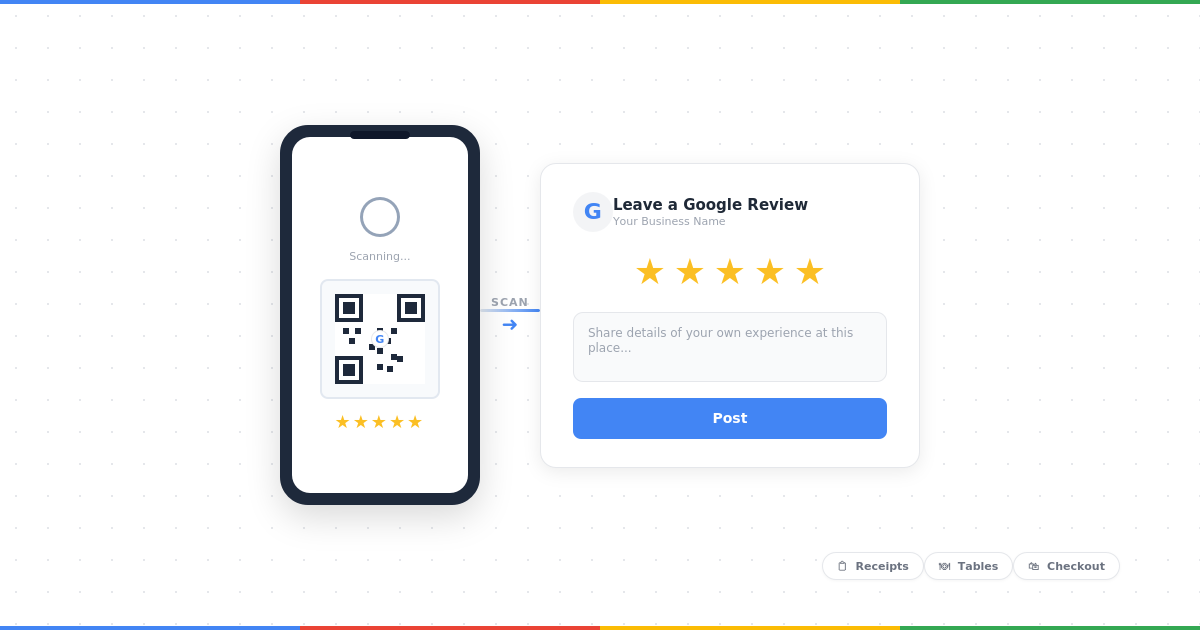
Printed QR codes are one of the highest-converting review request methods available to physical businesses — and they require zero follow-up effort once in place.
In 2026, over 2.2 billion people worldwide actively scan QR codes, and 71% of consumers say they find them useful in daily life (Uniqode, 2026). For restaurants and hospitality businesses, QR adoption is now at 75%.
Where to place your QR code:
- Printed on the bottom of receipts
- On a small card left with the bill or at the counter
- On a table tent or window sticker in your premises
- On the back of business cards handed out at the end of a job
- On packaging inserts for product businesses
How to set it up:
- Generate your direct Google review link using GoogleReviewBoost.app
- Paste the link into any free QR code generator (QR Code Generator, QRCode Monkey, or Uniqode)
- Download the QR code as a PNG or SVG
- Add it to your receipt template, printed materials, or signage
Pro tip: Add a short instruction next to the QR code — something like "Enjoyed your experience? Scan to leave us a Google review." A simple prompt more than doubles scan rates.
Train Your Staff
Ask politely at the right moment
Respond to Reviews
Customers are more likely to leave feedback if they see you actively respond
We've put together 12 copy-paste Google review response templates — covering positive, negative, and neutral reviews — to make that side of things straightforward.
Software to Manage Google Reviews
If you want to scale, software helps you:
Collect Reviews Automatically
Monitor New Reviews
Reply to Reviews
Track Growth & Analytics
💡 Recommended Tool
Tools like GoogleReviewBoost make this process simple with free and paid plans.
Try GoogleReviewBoost FreeRelated Guides You May Like
The Complete Guide to Google Reviews
View, Write, Manage, and Remove Reviews
Bad Google Reviews: Remove, Dispute, and Reply the Right Way
Learn how to handle negative reviews professionally and protect your reputation
Final Thoughts
Getting more Google Reviews doesn't have to be difficult. By asking at the right time, using simple email templates, and automating follow-ups, you can steadily grow your reputation.
If you're a business owner, start with the basics:
The sooner you start, the faster you'll see results in search visibility, customer trust, and business growth.