.png&w=3840&q=75)

77% of patients check online reviews before choosing a dentist — more than any other healthcare provider. Yet the majority of dental practices have fewer than 20 Google reviews. That gap is your opportunity. This guide covers everything your dental practice needs to know about Google reviews in 2026: how to get more, how to respond safely (without breaching GDPR or GDC guidelines), and how reviews directly affect where you appear on Google Maps.
What You'll Learn in This Guide:
- Why Google reviews matter more for dental practices than almost any other business
- How reviews directly influence your Google Maps and Local Pack ranking
- Step-by-step strategies for asking patients for reviews (compliantly)
- GDPR-safe templates for responding to positive and negative reviews
- The mistakes dentists make that can get reviews removed or practices penalised
- Answers to the most common questions from dental practices about reviews
77%
of patients check reviews before booking a dentist
3.9★
minimum average rating most patients will consider
68%
of patients form an opinion from just 1–6 reviews
40%
of dental Google searches result in a Local Pack click
Why Google Reviews Matter More for Dental Practices
Choosing a dentist is a high-trust decision. Patients are not buying a product they can return — they are putting their health in someone's hands. That means the bar for trust is higher than in almost any other local business category, and Google reviews are the primary trust signal patients use before booking.
Consider the patient journey: someone moves to a new area, needs an NHS dentist, or wants teeth whitening. Their first step is almost always a Google search — "dentist near me", "NHS dentist in [city]", or "best dentist in [town]". What they see in those first three results (the Local Pack) determines who they call. Practices with 50+ reviews and a 4.8-star rating get the majority of those calls. Practices with 8 reviews and a 4.1 rating get almost none.
The Local Pack Dominance Effect
The top 3 Local Pack results capture approximately 44% of all clicks on a local search results page. Organic results below the map get a fraction of what the Local Pack gets. For dental searches specifically, Local Pack visibility is even more concentrated — most patients click one of the first two results and never scroll further.
Reviews are the #1 controllable factor that separates practices that appear in the Local Pack from those that don't.
How Google Reviews Directly Affect Your Dental Practice's Ranking
Google uses three core factors to rank local businesses in Maps and the Local Pack: Relevance, Distance, and Prominence. Distance is largely outside your control. Relevance is addressed through your Google Business Profile categories and website content. Prominence is where reviews have the biggest impact — and it's the most actionable.
Review Count
More reviews = stronger prominence signal. Google's own documentation confirms that "review count and positive ratings can help your local ranking." A practice with 80 reviews will consistently outrank one with 10, even if both have 5 stars.
Review Recency & Velocity
Getting 10 reviews this month matters more than having 10 reviews from two years ago. Google values freshness. Practices that steadily earn 3–5 new reviews per month consistently outperform those with a large but stale review count.
Review Keywords
Words patients use in reviews — "emergency dentist", "teeth whitening", "NHS dentist", "implants", "nervous patient" — help Google match your listing to more specific searches. You cannot control this directly, but encouraging patients to be specific in their reviews (without scripting them) helps.
Star Rating
Practices below 4.0 stars are effectively invisible in competitive local markets. Most patients filter by rating before they even look at the name. Maintaining a 4.5+ average is the baseline for Local Pack competitiveness.
For a deeper look at the research behind these ranking signals, see our guide on Google reviews and SEO: do they actually matter?
How to Ask Patients for Google Reviews (The Right Way)
The single biggest reason dental practices don't have enough Google reviews is simple: they don't ask. Most patients who had a positive experience are happy to leave a review — they just need to be prompted at the right moment, in the right way.
1. Ask in Person — Right After the Appointment
The highest-converting moment to ask for a review is immediately after a positive appointment, while the patient is at reception paying or booking their next visit. The experience is fresh, and they are in a good mood.
Example Script for Reception Staff
"Thank you so much for coming in today. We're always trying to help more people find us — if you have a spare moment later, we'd really appreciate it if you could leave us a Google review. I can send you a direct link so it only takes a minute."
Keep the ask conversational, never pressured. Train every reception team member to make this a natural part of the checkout process.
2. Send a Follow-Up SMS or Email
The most effective practices automate a review request sent 2–4 hours after the appointment ends — when patients are home but the visit is still memorable. SMS gets significantly higher open and click rates than email for this purpose.
SMS Template
Hi [First Name], thanks for visiting [Practice Name] today. If you're happy with your experience, we'd really appreciate a quick Google review — it helps others find us: [your Google review link]. Thank you! 😊
Email Template (Subject: "How was your visit today?")
Hi [First Name],
Thank you for choosing [Practice Name] for your dental care today. We hope everything went smoothly!
If you have a moment, we'd love it if you could share your experience on Google — it takes less than a minute and really helps other patients find trustworthy dental care in [Town].
[Button: Leave a Google Review]
Thank you,
[Practice Name] Team
3. Display a QR Code at Reception
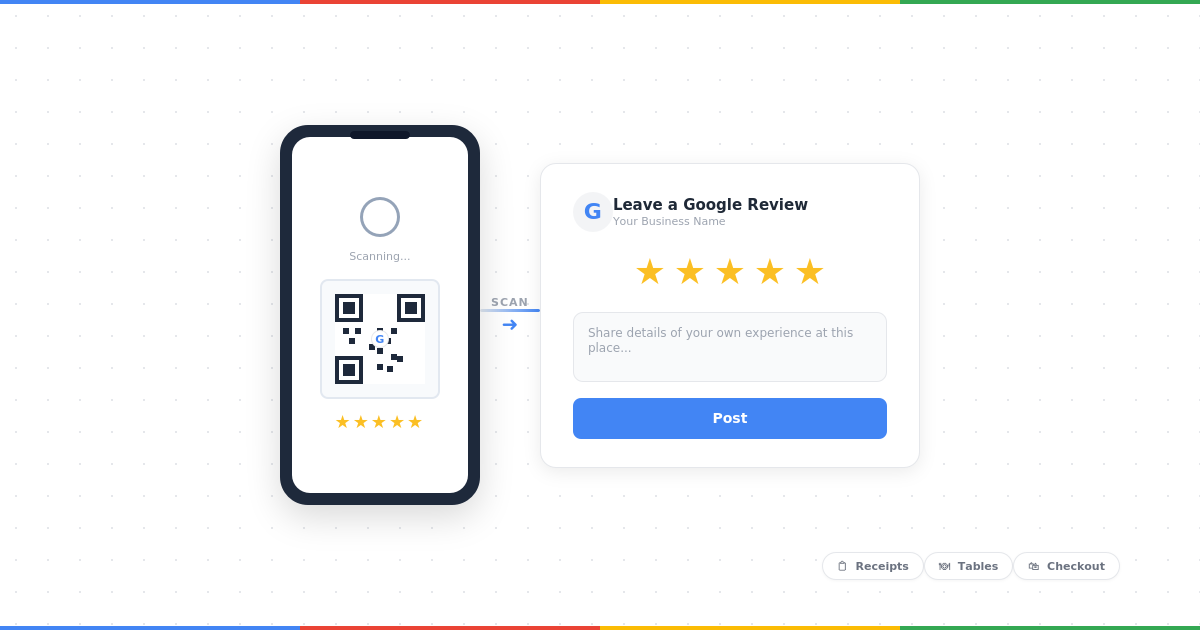
A printed QR code on your reception desk, on appointment reminder cards, or on a small A5 stand next to the card machine lets patients scan and review on the spot — before they even leave the building. Use our free Google review link generator to create your link, then generate a QR code from any free QR tool.
⚠️ Important: Ask Everyone, Not Just Happy Patients
Google's policies prohibit "cherry-picking" — only asking patients you know are happy. Ask all patients equally, after every appointment. This keeps your approach compliant and ensures your review profile reflects your genuine standard of care.
For more scripts — including email, SMS, and post-appointment timing — see our guide on how to ask for Google reviews.
How to Respond to Google Reviews as a Dental Practice
Responding to reviews is important for two reasons: it signals to Google that your practice is active (which supports your local ranking), and it shows prospective patients that you care about feedback. But for dental practices, how you respond requires careful attention to GDPR and patient confidentiality.
⚠️ Critical: The GDPR Rule Every Dentist Must Follow
Even if a patient reveals their own name and treatment details in a public Google review, you must never confirm, reference, or expand on any clinical or personal information in your response. This includes:
- Confirming they are or were a patient at your practice
- Mentioning any treatment they received
- Referencing any appointment dates or details
- Discussing any clinical decisions or outcomes
Breaching patient confidentiality in a public forum could result in a GDC investigation and ICO complaint. When in doubt, keep your response completely generic.
Responding to Positive Reviews
Template A — Short and Warm
"Thank you so much for your kind words! We're thrilled you had a great experience at [Practice Name]. We look forward to welcoming you back."
Template B — Slightly Longer
"What a lovely review — thank you! Our whole team works hard to make every visit as comfortable and stress-free as possible, so it's wonderful to hear this. We really appreciate you taking the time to share your experience."
Template C — For Nervous Patients (if they mentioned it)
"Thank you so much for sharing this — it really means a lot to our team. We understand dental visits can feel daunting, and making patients feel at ease is always our priority. See you at your next visit!"
Responding to Negative Reviews
Never respond defensively. A calm, professional response to a negative review often impresses prospective patients more than a perfect 5-star rating.
Negative Review Response Template (GDPR-Safe)
"Thank you for taking the time to share your feedback. We're sorry to hear your experience didn't meet your expectations — this is not the standard we aim for. We'd really appreciate the opportunity to understand what happened and put things right. Please contact us directly at [phone number or email] so we can discuss this further. Thank you."
If a review appears fake or violates Google's policies, our guide on handling bad Google reviews covers the dispute and removal process in detail.
Common Mistakes Dental Practices Make With Google Reviews
❌ Incentivising Reviews
Offering discounts, free check-ups, or vouchers in exchange for reviews violates Google's policies. Reviews can be removed and your listing flagged. It also risks breaching GDC advertising guidance.
❌ Only Asking Happy Patients
Selectively asking only satisfied patients (cherry-picking) violates Google's policies. It also skews your rating unrealistically, which Google can detect through review patterns.
❌ Mentioning Patient Details in Replies
Even in a positive context, referencing clinical details or confirming someone is a patient in a public reply can constitute a GDPR breach and a GDC advertising violation.
❌ Ignoring Reviews Entirely
Not responding to any reviews — positive or negative — signals inactivity to Google and indifference to prospective patients. Aim to respond to every review within 48 hours.
❌ Asking for Reviews on Google Devices
Do not ask patients to leave a review using a device owned by the practice (a tablet or computer at reception). Google detects reviews left from the same IP address as the business and filters them out.
❌ Buying Fake Reviews
Fake reviews from bots or review farms violate Google's policies, risk suspension of your Google Business Profile, and can result in a reputational crisis if discovered publicly. The risk is never worth it.
Your Google Business Profile: The Foundation
Reviews don't work in isolation. For your reviews to have maximum ranking impact, your Google Business Profile needs to be fully optimised. This means:
- Primary category set to "Dentist" — with relevant secondary categories (Orthodontist, Cosmetic Dentist, Emergency Dental Service, etc.) if applicable
- Complete and accurate NAP — Name, Address, and Phone number must match exactly what's on your website and other directories
- Opening hours kept up to date — including bank holidays and special closures
- 10+ high-quality photos — reception, treatment rooms, exterior, and team photos (with patient consent where required)
- Services listed — with descriptions that naturally include keywords like "teeth whitening", "dental implants", "emergency appointments", "NHS dentist"
- Regular Google Posts — at least once per fortnight, covering promotions, news, or health tips
Want more than just reviews?
Google uses four signals to rank local businesses. Reviews are just one of them. To understand all four and get a free personalised strategy for your practice, see our Local SEO guide for small businesses →
Frequently Asked Questions
Can I offer a discount or incentive to patients who leave a Google review?
Can I mention the patient's treatment when replying to a Google review?
How many Google reviews does a dental practice need to rank in the Local Pack?
Do Google reviews affect NHS dental practices as well as private ones?
How quickly should I respond to a negative Google review as a dentist?
Is asking patients for Google reviews against GDC guidelines?
The Bottom Line
Google reviews are the single highest-return action most dental practices can take in 2026. They directly improve your Local Pack ranking, build patient trust before you've even answered the phone, and compound over time. The practices that are winning in local search right now aren't necessarily the best clinically — they're the ones that have made review collection a consistent, systematic part of their patient journey.
Start simple: train your reception team to ask every patient, create your free Google review link, and send a follow-up SMS the same afternoon. Within 60–90 days, you'll see the difference in your Maps ranking and your booking enquiries.